Zenerate offers two types of garage parking layout options — garage with speed ramps and garage with sloping floors — to help users generate optimized parking designs based on residential requirements and site constraints. Layouts are easily editable with drag-and-drop tools.
Here is a step-by-step guide to both garage types and their editing features.
Garage – Speed Ramps
The Garage – Speed Ramps layout is typically used in podium-style and/or basement buildings. Users can add it to their site by following these steps:
1. Click on Parking on the bottom menu bar.
2. Select Garage – Speed Ramps.
3. Draw the parking lot boundaries on your site.

Edit Garage – Speed Ramps
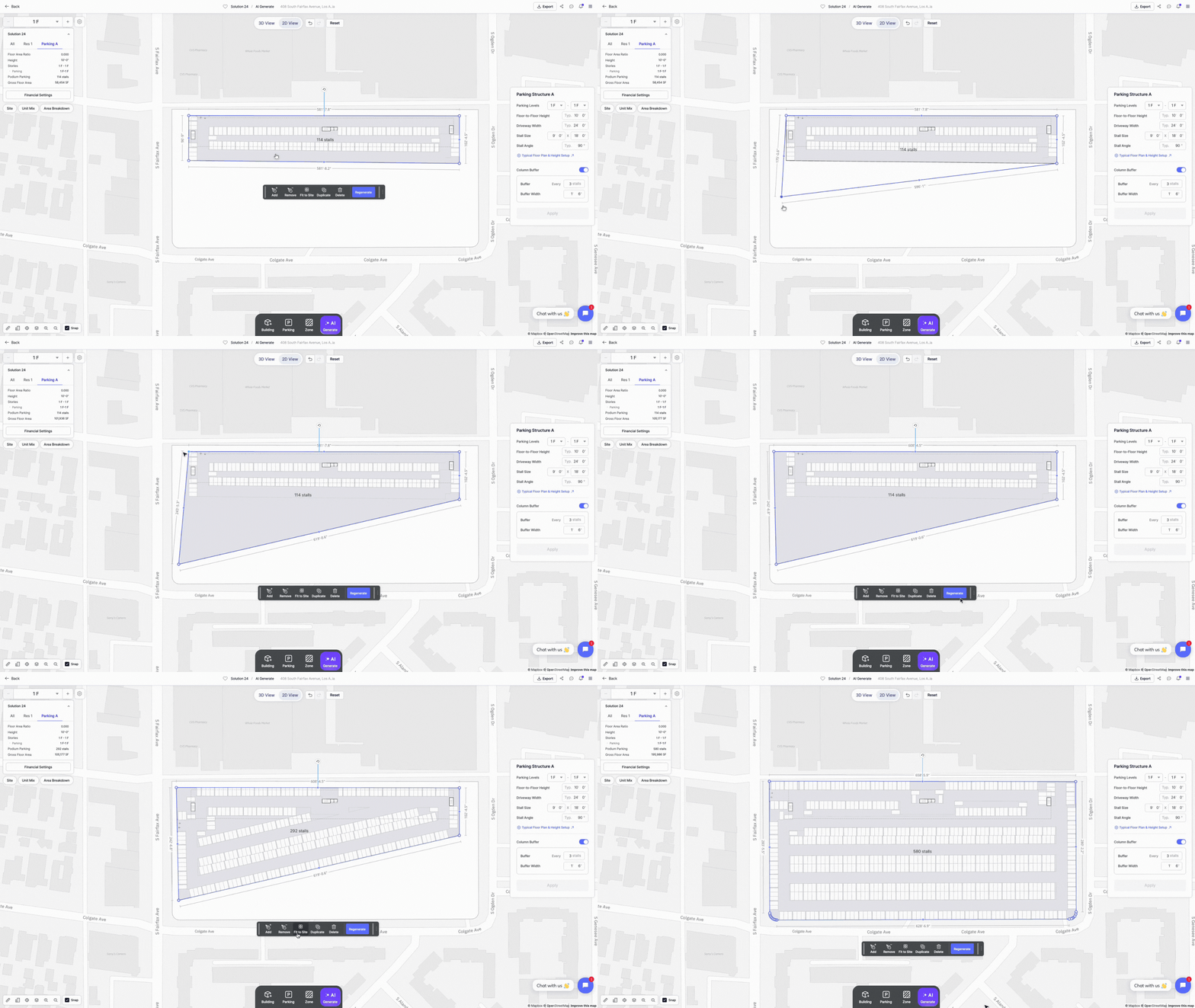
To edit the shape and size of the garage, users can follow these steps:
1. Drag and drop the endpoints or boundaries of the parking area to reshape it.
2. Click Regenerate to have Zenerate automatically generate the optimal number of parking stalls.
Users can simply click Fit to Site to automatically expand the parking structure, maximizing coverage of the entire site with an optimized parking layout.
Garage – Sloping Floors
The Garage – Sloping Floors layout is commonly used in wrap-style buildings or standalone parking structures, where continuous sloped floors allow for efficient vertical circulation and maximize parking capacity.
Users can add it to their site, here's how:
1. Click on Parking.
2. Select Garage – Sloping Floors.
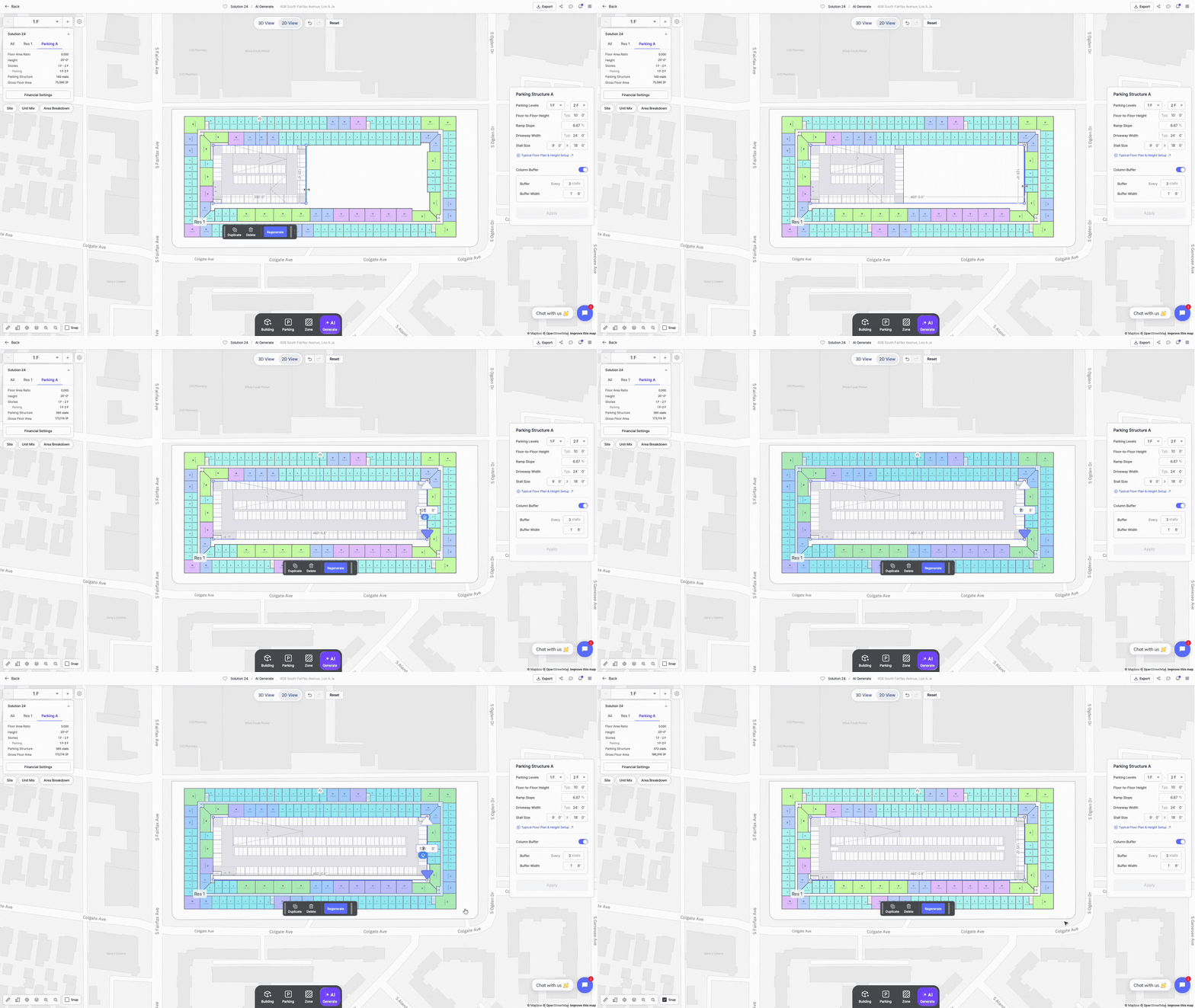
The parking structure will automatically appear on your site. Move it to your desired location by dragging the building.

Edit Garage – Sloping Floors:
• Adjust the size by dragging the structure's boundaries.
• Alternatively, input precise width and length values for exact sizing.
Garage Additional Settings
For more detailed control, click twice on the garage building and click again on the parking layout to access additional editing options.
Parking Options:
On the bottom menu bar, under the Parking button, you can add:
• Driveway & Parking - Draw a line to create a driveway with double-loaded parking
• Ramp - Place a ramp anywhere within the parking structure, or along a driveway, when the Driveway Snap option is enabled
• Stall - Add individual parking stalls wherever needed within the layout
• Entrance - Set vehicle entrances along the outer edge of the parking structure

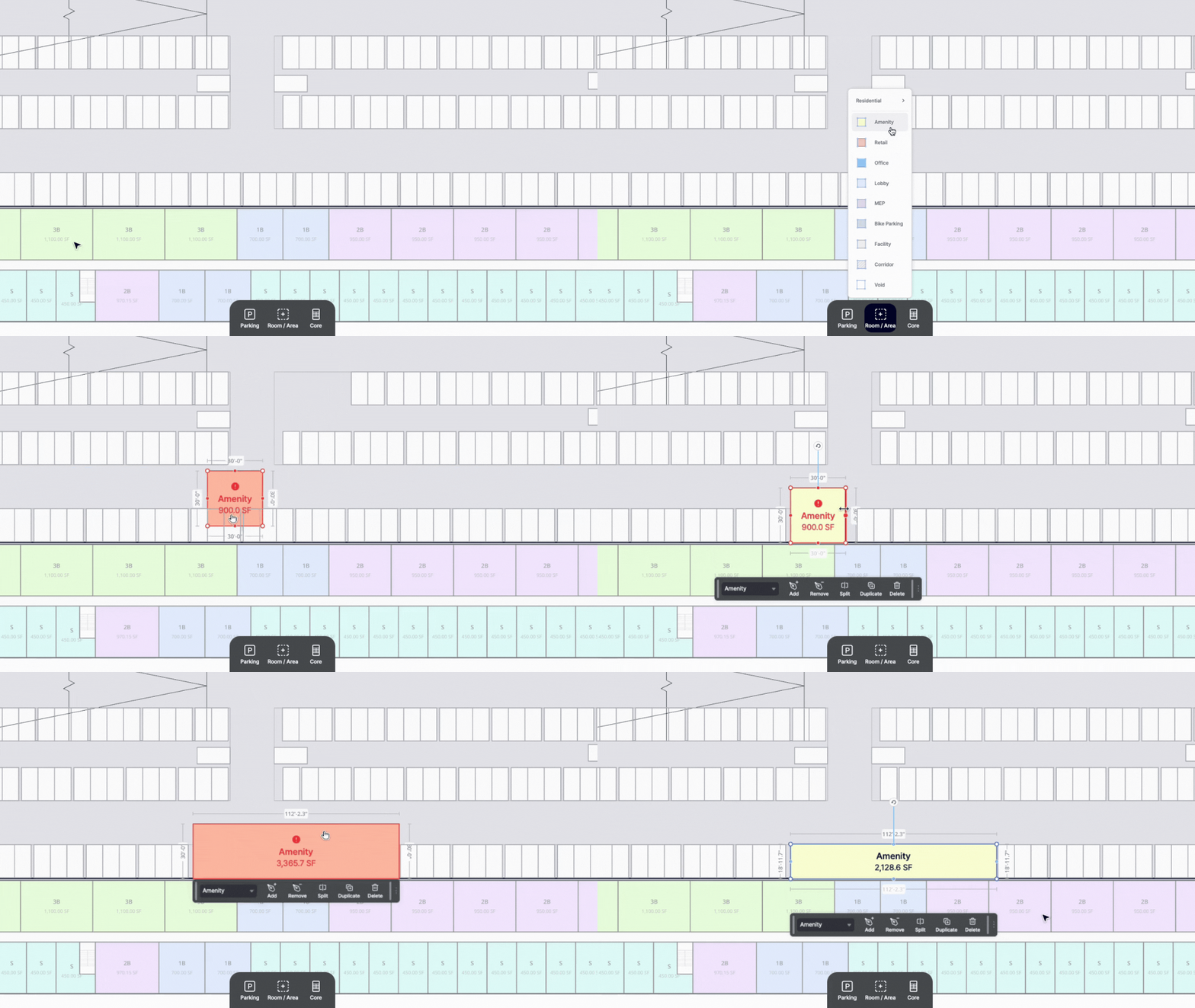
Room/Area Options:
Click the Room/Area button button, and select any of the specified areas to add in the garage layout.
Core Features (Only for Sloping Floors):
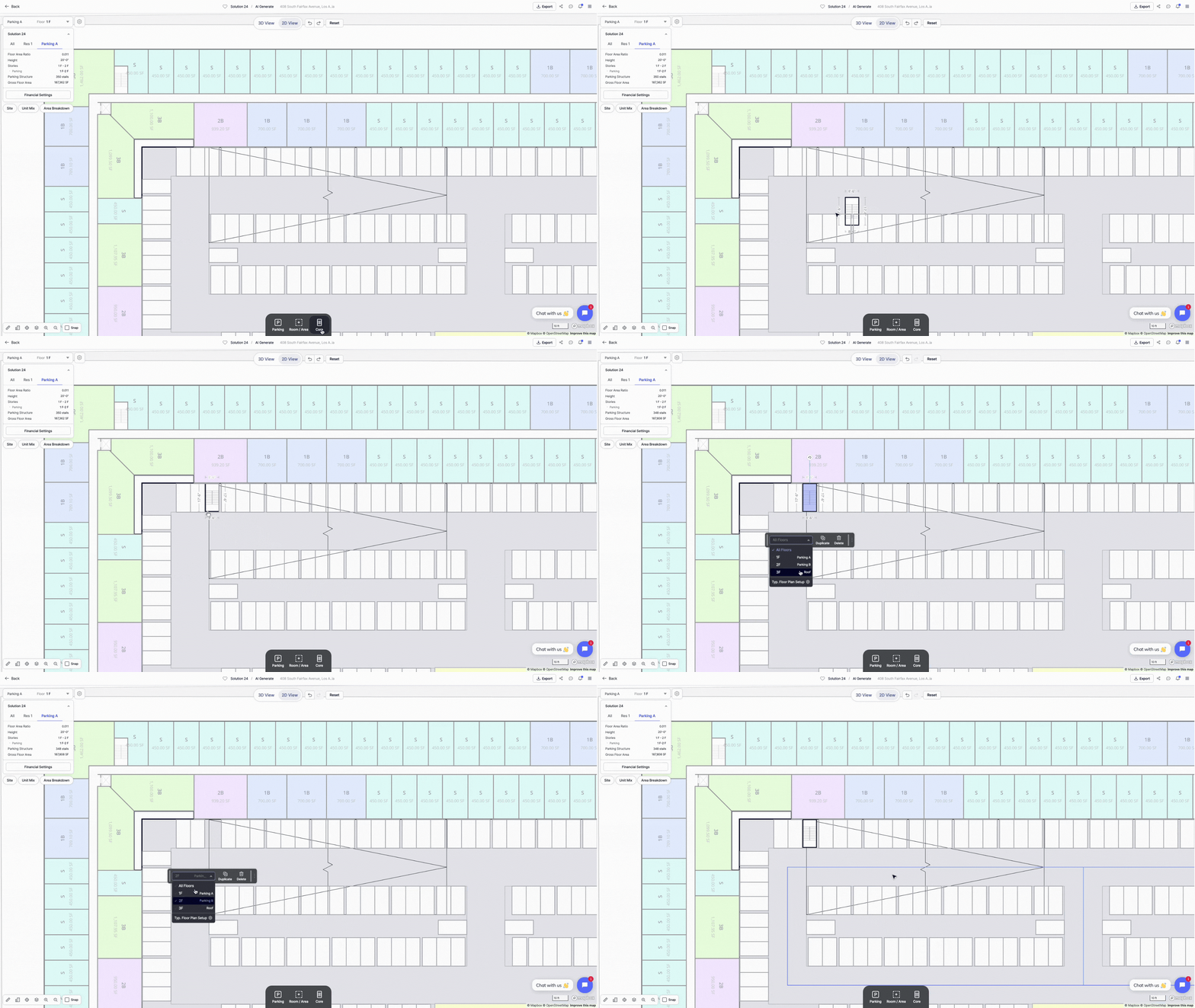
For the garage with sloping floors, you can add core components such as:
• Elevators
• Stairs
• Trash chutes
Entrance and Exit Settings:
Users can customize the entrance in a few simple ways:
• Reposition it by dragging along the garage boundary
• Adjust the width by entering a value in the popup menu bar
• Set traffic direction using the dropdown menu, with options for:
• Two-Way
• One-Way In
• One-Way Out

Any elements added — such as ramps, entrances, or cores — will automatically update the parking stall layout to avoid overlaps, ensuring the design remains optimized.
Other Resources
In addition to garage layouts, Zenerate also supports the surface parking, which you can explore here.
Looking to speed up your feasibility studies and streamline site planning?
Book a demo and get access to a free trial of Zenerate today.
Book a demo + Get a Free Trial