We're rolling out exciting updates to make your feasibility process faster and more flexible. This release includes building and room label toggles, efficiency-based solution filters, and full Use Type management for customized site planning.
Alongside these product improvements, we're proud to introduce the Zenerate Feasibility Report Service—combining licensed architects with our AI-powered design platform to deliver 3–5 feasibility options within a day, starting at just $400. It's a faster, more affordable way to get data-backed insights and ready-to-use design scenarios for your projects.
You can submit your request here 👉 Feasibility Report Service.
Here's a deeper look at the latest product improvements we've released to support your workflow:
Use Type Management
You can now fully manage Use Types in your buildings and outdoor areas!
This includes adding new uses, renaming, editing colors, and more.
How to customize your Use Types:
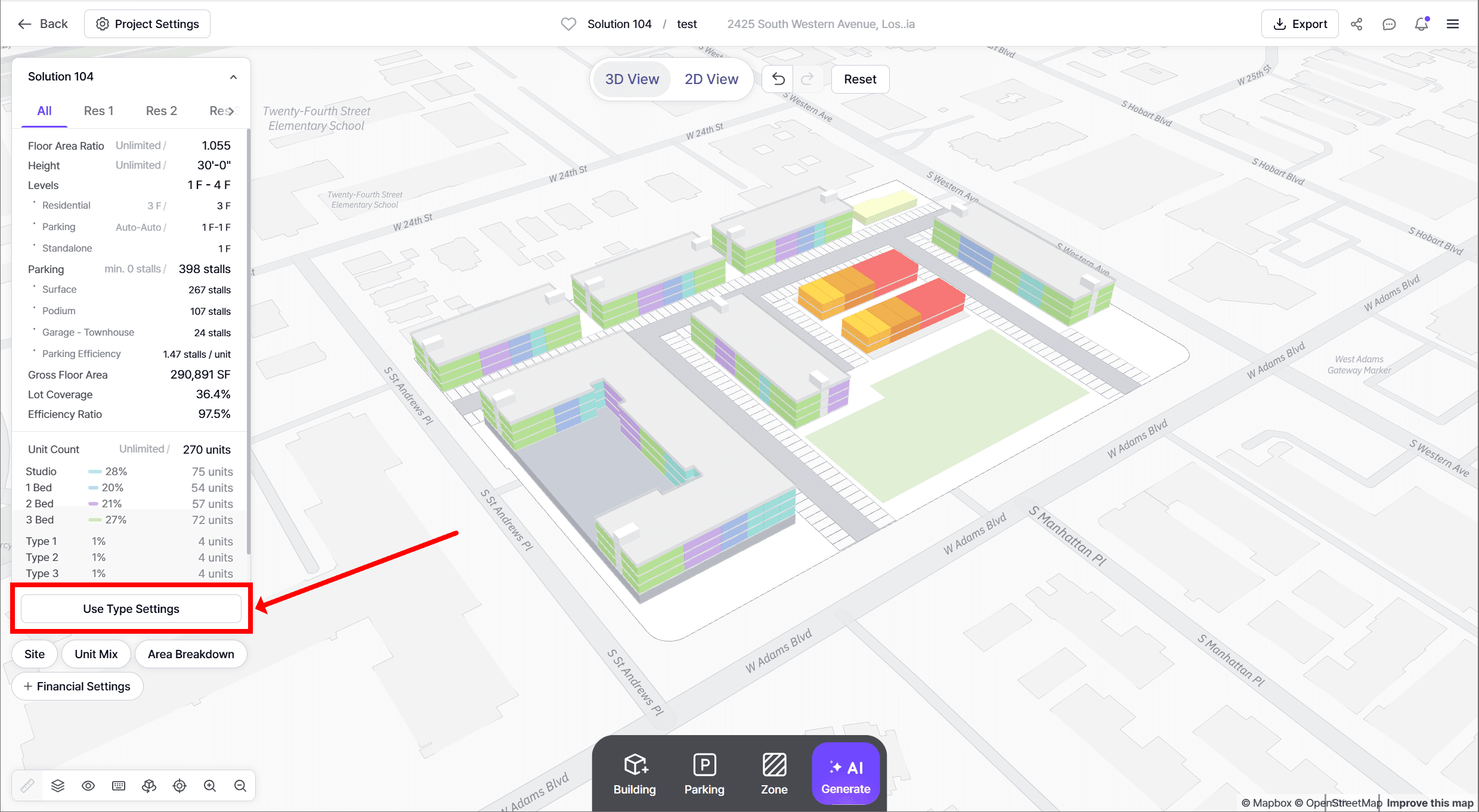
1. Click on Use Type Settings at the bottom of the left KPI panel.
2. Choose the appropriate tab:
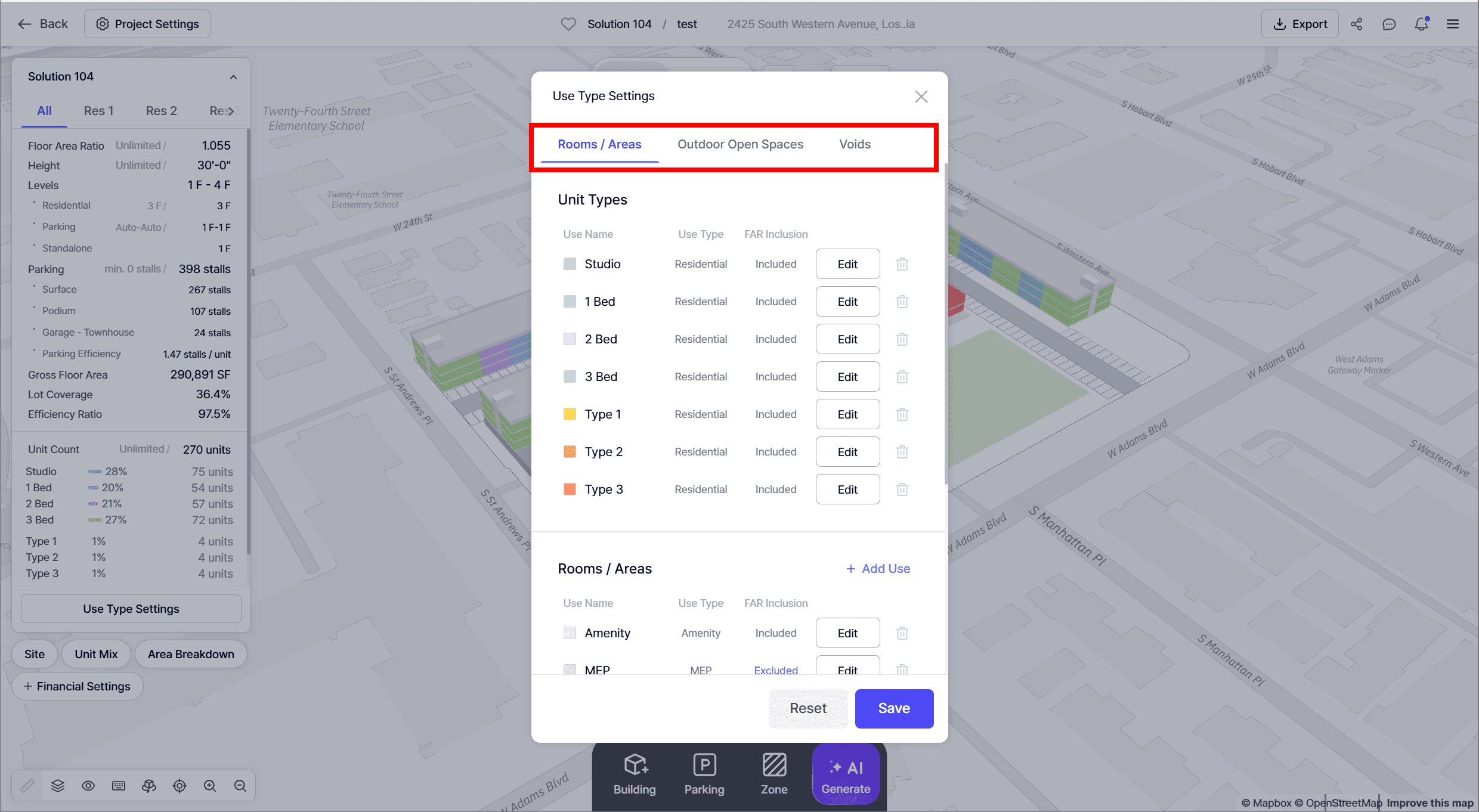
• Room/Area Tab → Customize indoor rooms and areas.
• Outdoor Open Spaces Tab → Create and manage open spaces.
• Void Tab → Define and manage different types of voids.
3. Click + Add Use and configure:
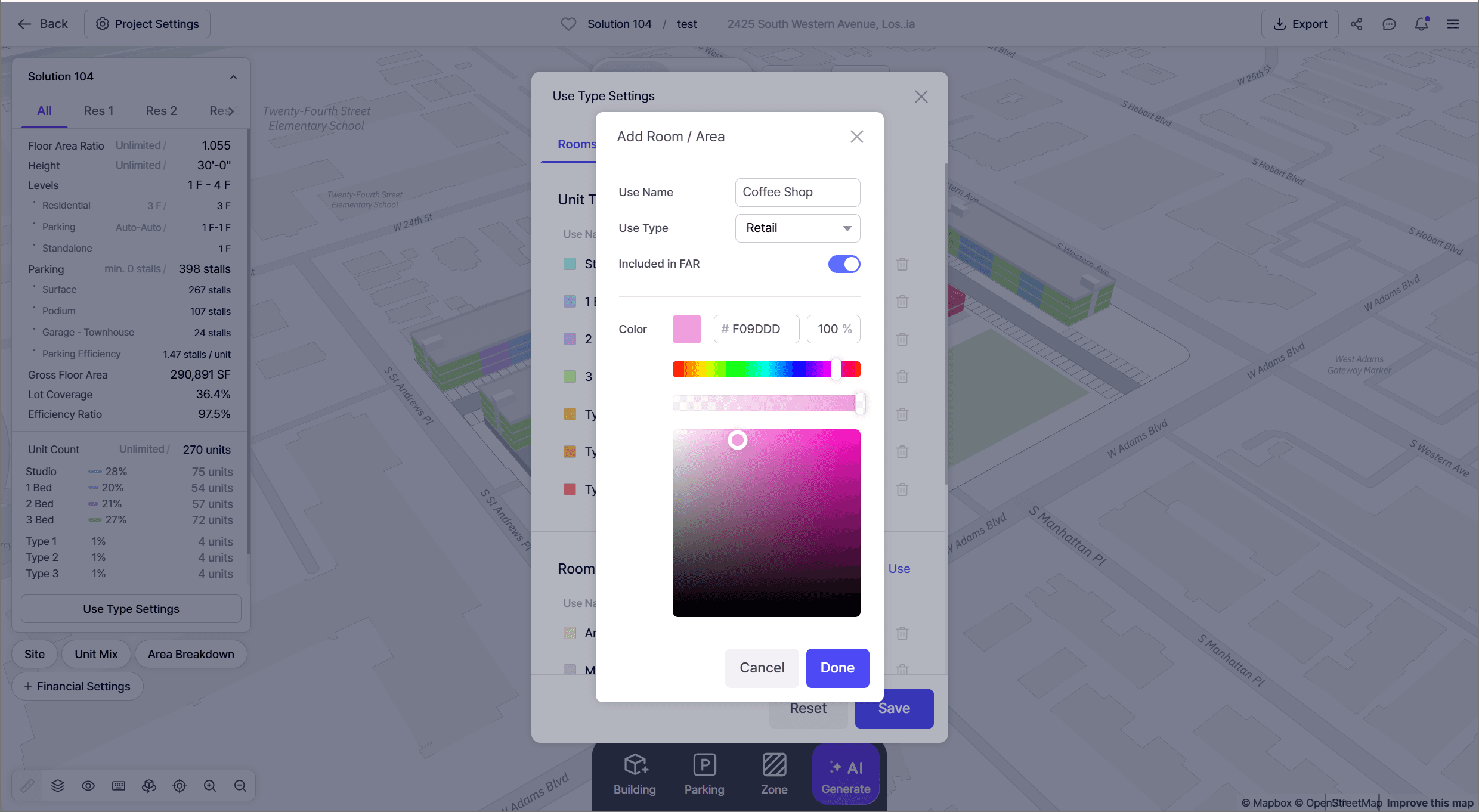
• Use Name → Enter the name of the use.
• Use Type → Select the category (e.g., Retail, Office, Other).
⚠️ Important: Use Types affect parking regulations and financial assumptions.
• Included in FAR → Toggle whether to include in FAR calculations.
• Color → Use the spectrum, hue, darkness, and opacity sliders to define color.
4. Click Done to save. Your new use will appear at the bottom of the list.
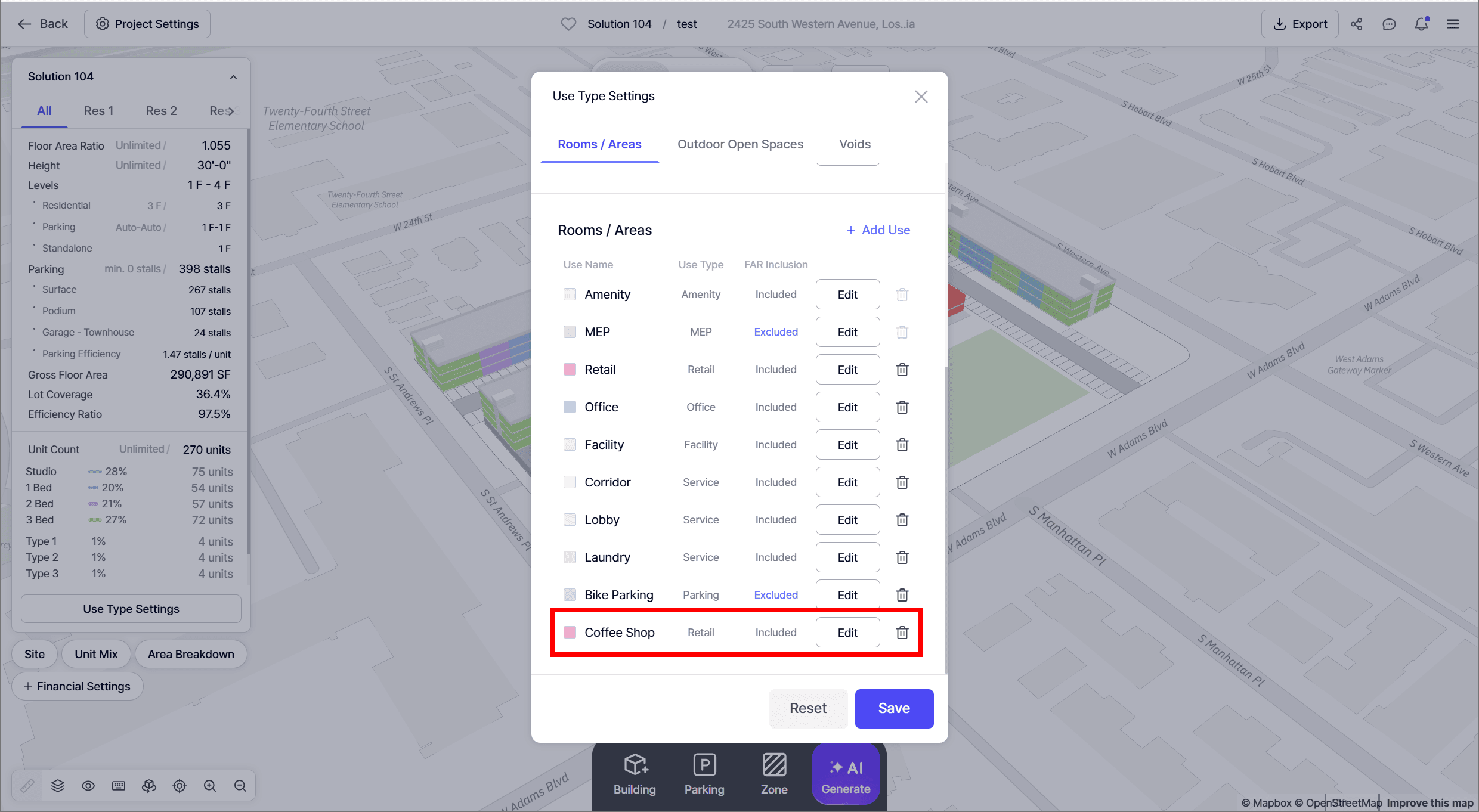
5. To edit or delete an existing use, click the Edit or Trashcan buttons.
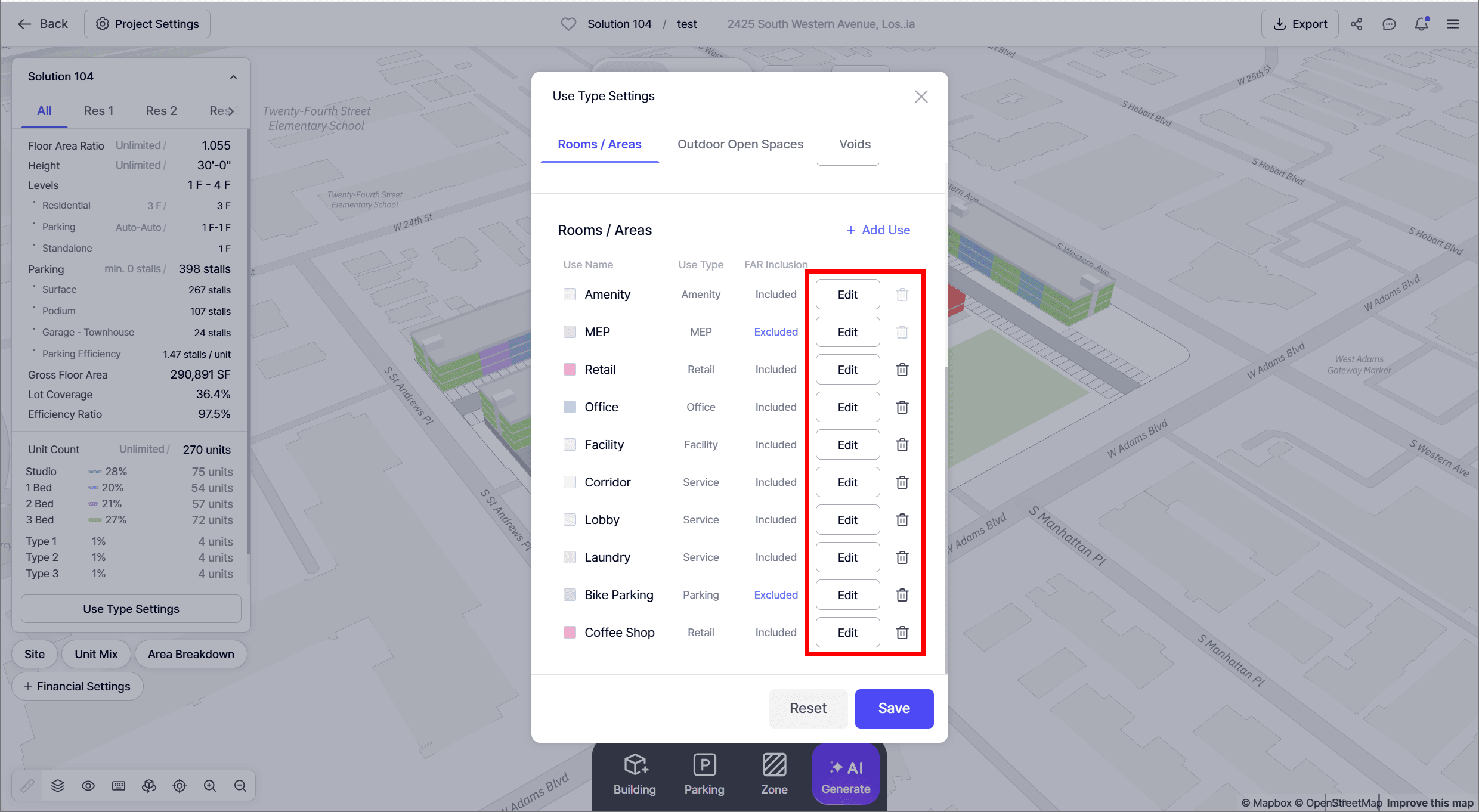
⚠️ Keep in mind: All changes apply at the company level and will affect your teammates as well.
⚠️ If you click on reset, it will restore to the default app settings.
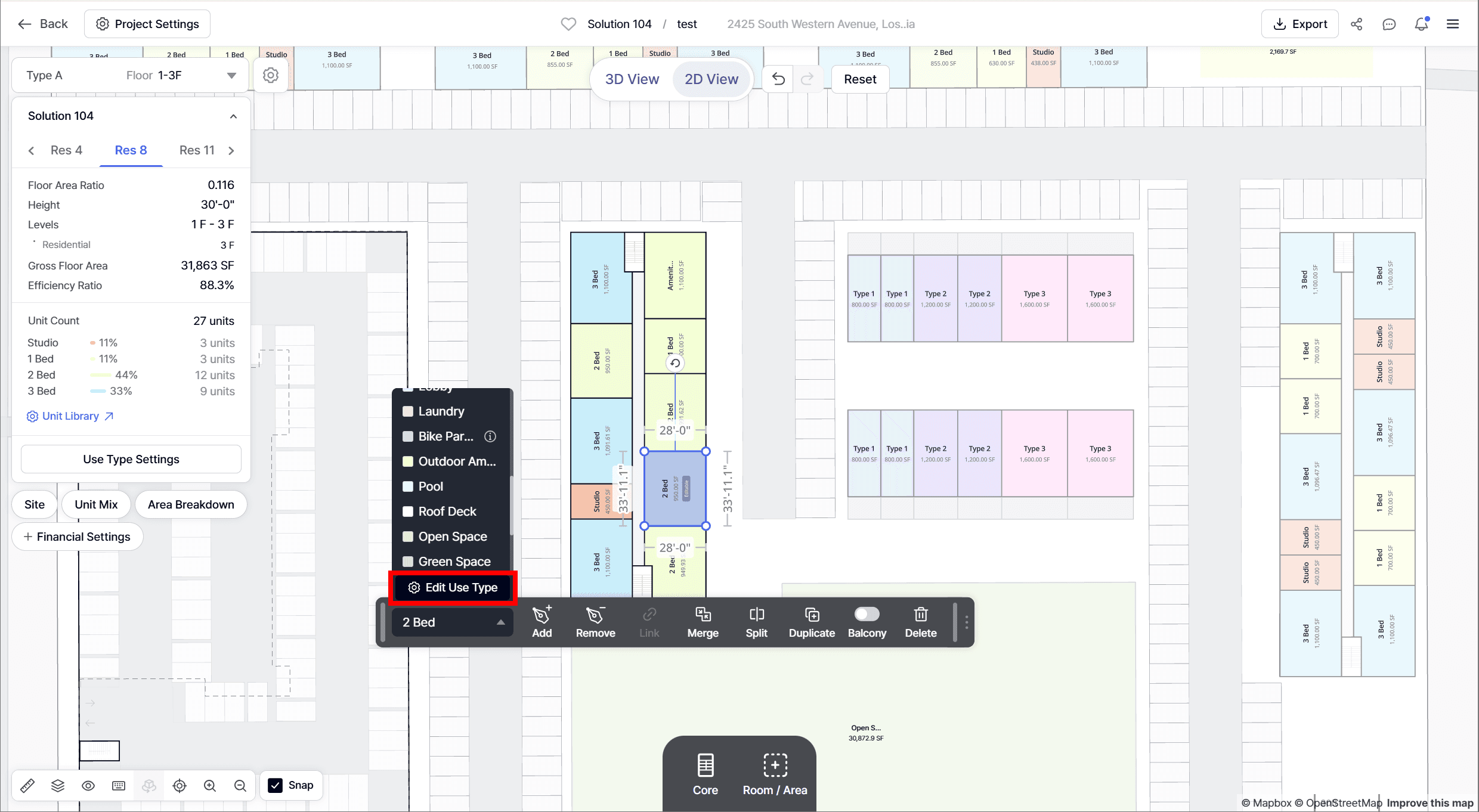
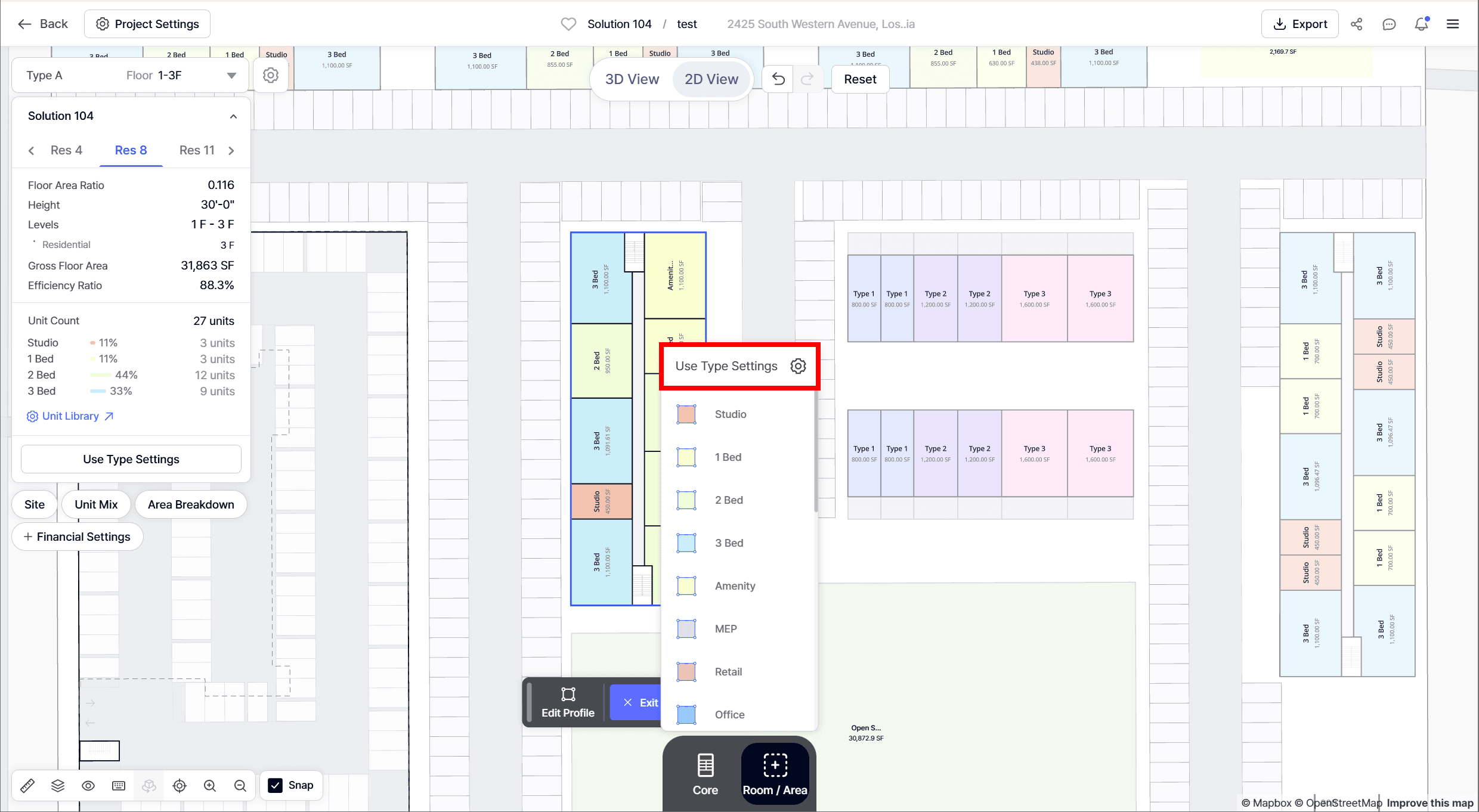
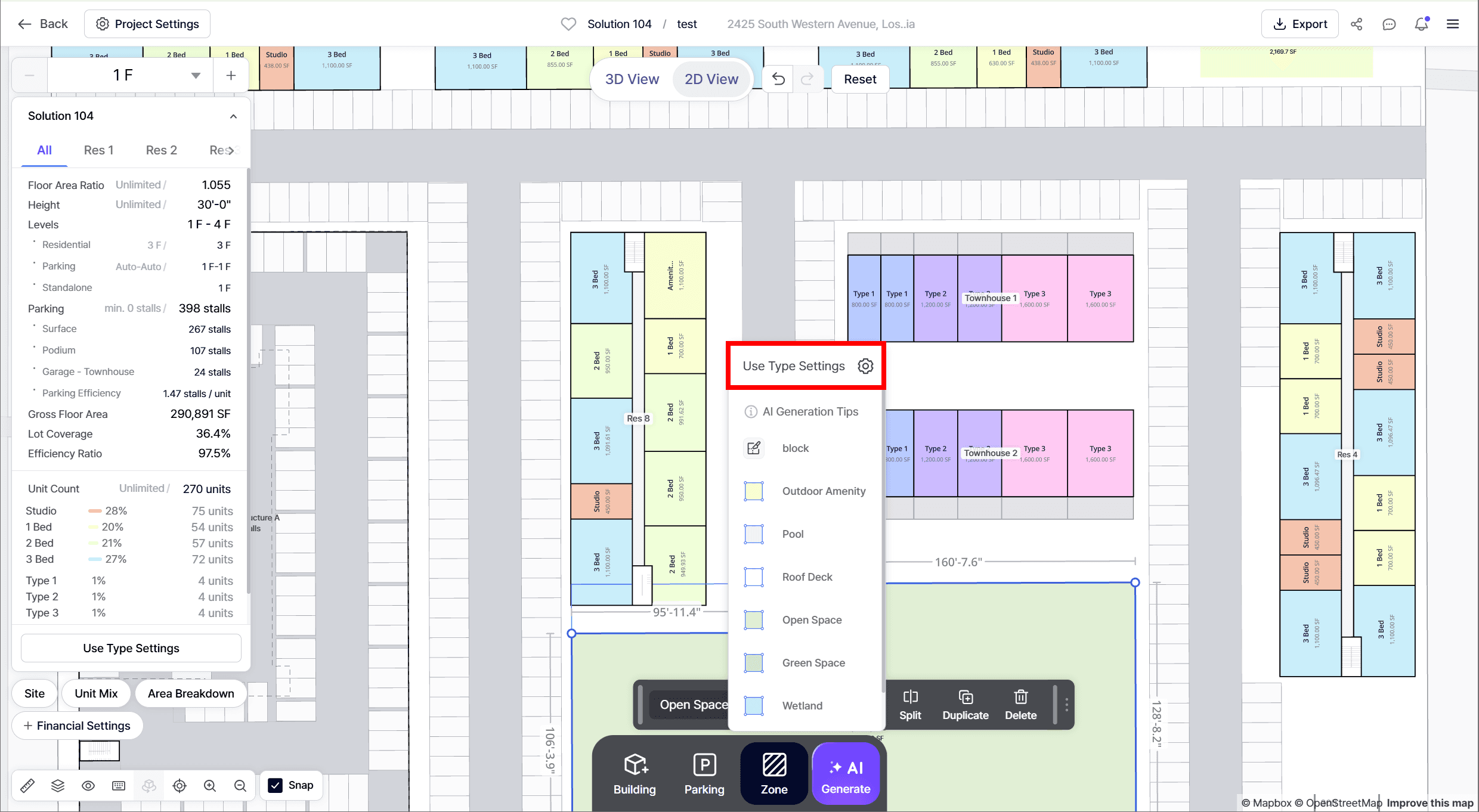
👉 You can also access these settings directly from the Change Use or Add Use dropdowns inside a building.
• Change Use
• Add Room / Area
• Add Zone
• Standalone Use Type
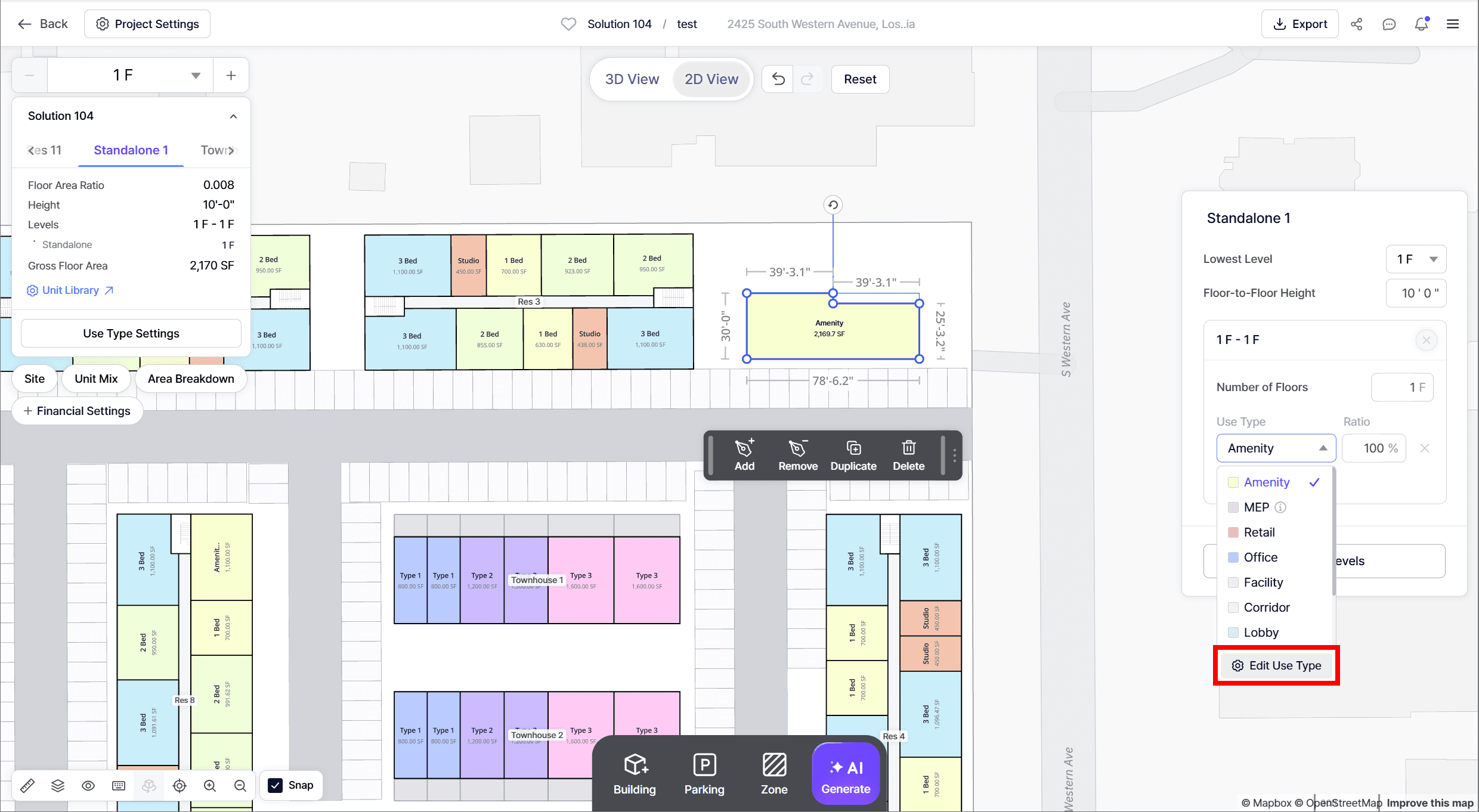
➡️ Enjoy customizing your uses with more flexibility!

Rename Buildings
You can now rename your buildings directly:
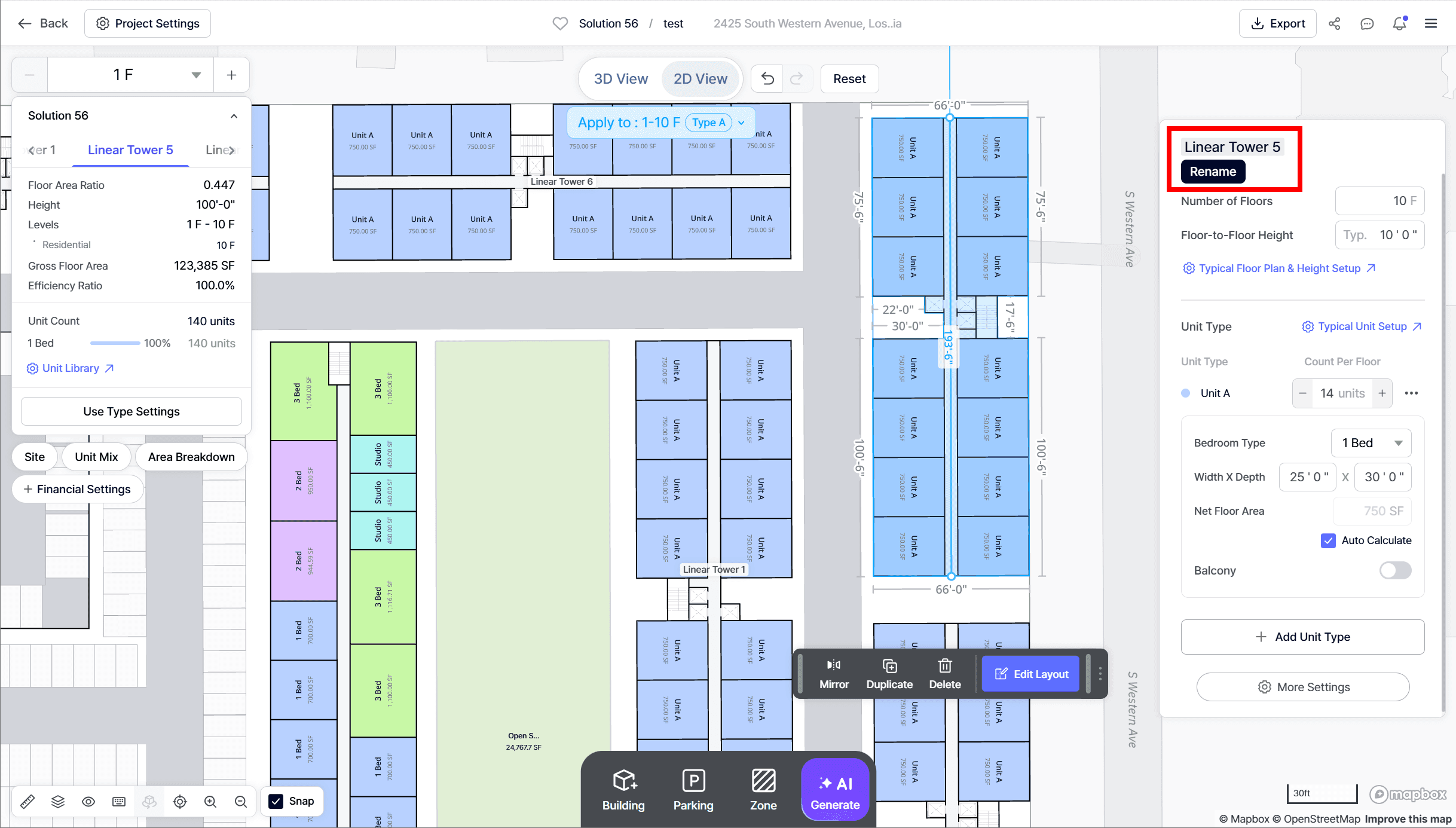
• Hover over the building name in the right-hand panel.
• Click the name and type to edit.
• The new name will apply to the existing building immediately.
Building & Room Labels Toggle
In the Map Toolbar (bottom-left, Eyeball icon), you can now toggle:
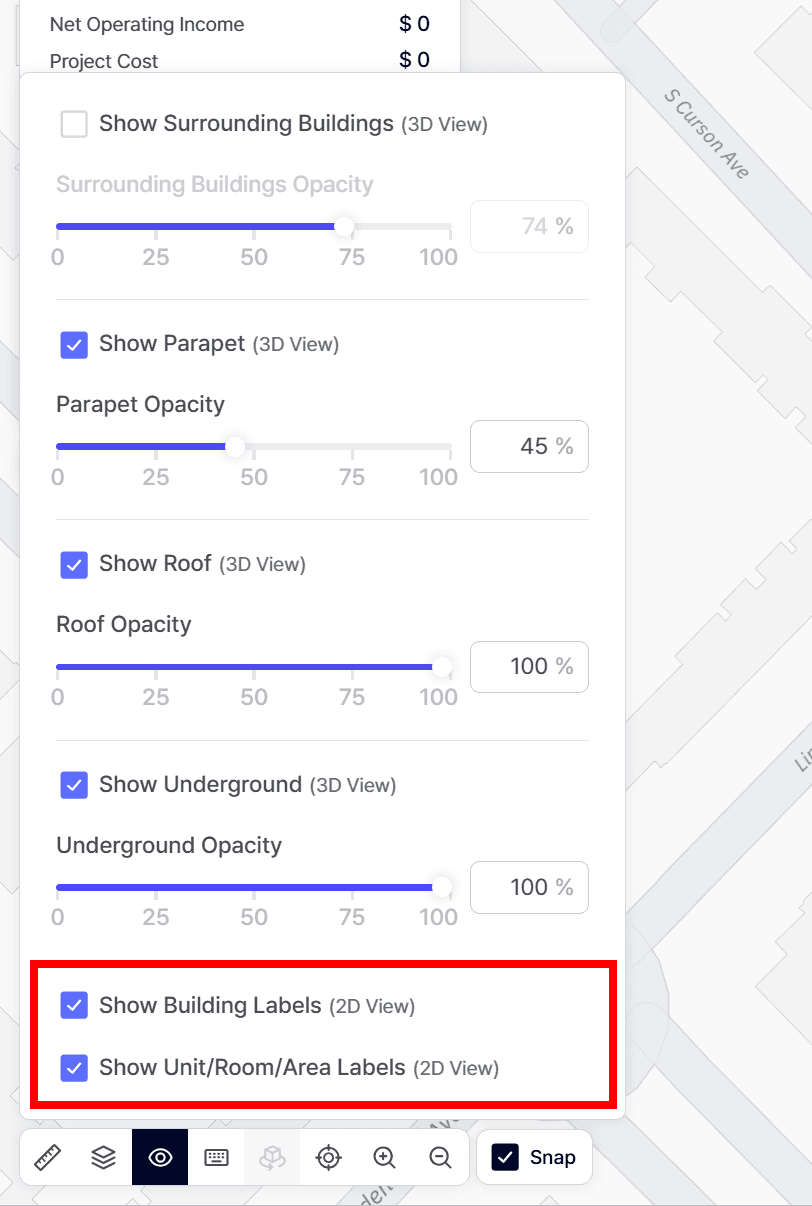
• Building Labels ON/OFF
• Room/Unit/Area Labels ON/OFF
Solution List: Efficiency Ratio Filter
When reviewing solutions, you can now:
• Sort by highest efficiency ratio.
• Filter solutions by efficiency ratio.
Enhanced Generation Engine
The Garden Style AI Generator has been improved to create more varied design outcomes. Now, when generating garden-style layouts, you will notice:
• Better Alignment of Buildings to Garden Style Generator → Buildings are placed with improved consistency and spacing.
• More Diverse Orientations to Garden Style Generator → Building directions are varied to produce more diverse and efficient layouts.
Feedback
If you encounter any errors while using our product, or have any questions/feedback feel free to email us at product@zenerate.ai
Explore What Zenerate Can Do
Ready to accelerate your feasibility studies? Book a demo with us today and get a free trial to see how fast site planning can be done.
Book a demo + Get a Free Trial Button