Zenerate’s AI Layout feature gives users two ways to generate design options: Generate Here and Create AI Solutions.
Both tools help users create AI-generated test fit options directly inside Zenerate, but they are designed for different workflows. One is better for fast, in-the-moment exploration inside the workspace. The other is better for saving, comparing, editing, and reviewing multiple solutions over time.
Understanding the difference between these two options can help users choose the right workflow during a real estate feasibility study, especially when testing different layouts, density strategies, parking configurations, or site planning scenarios.
This tutorial explains when to use Generate Here, when to use Create AI Solutions, and how each option supports a different stage of early site feasibility analysis.
What Is Generate Here?
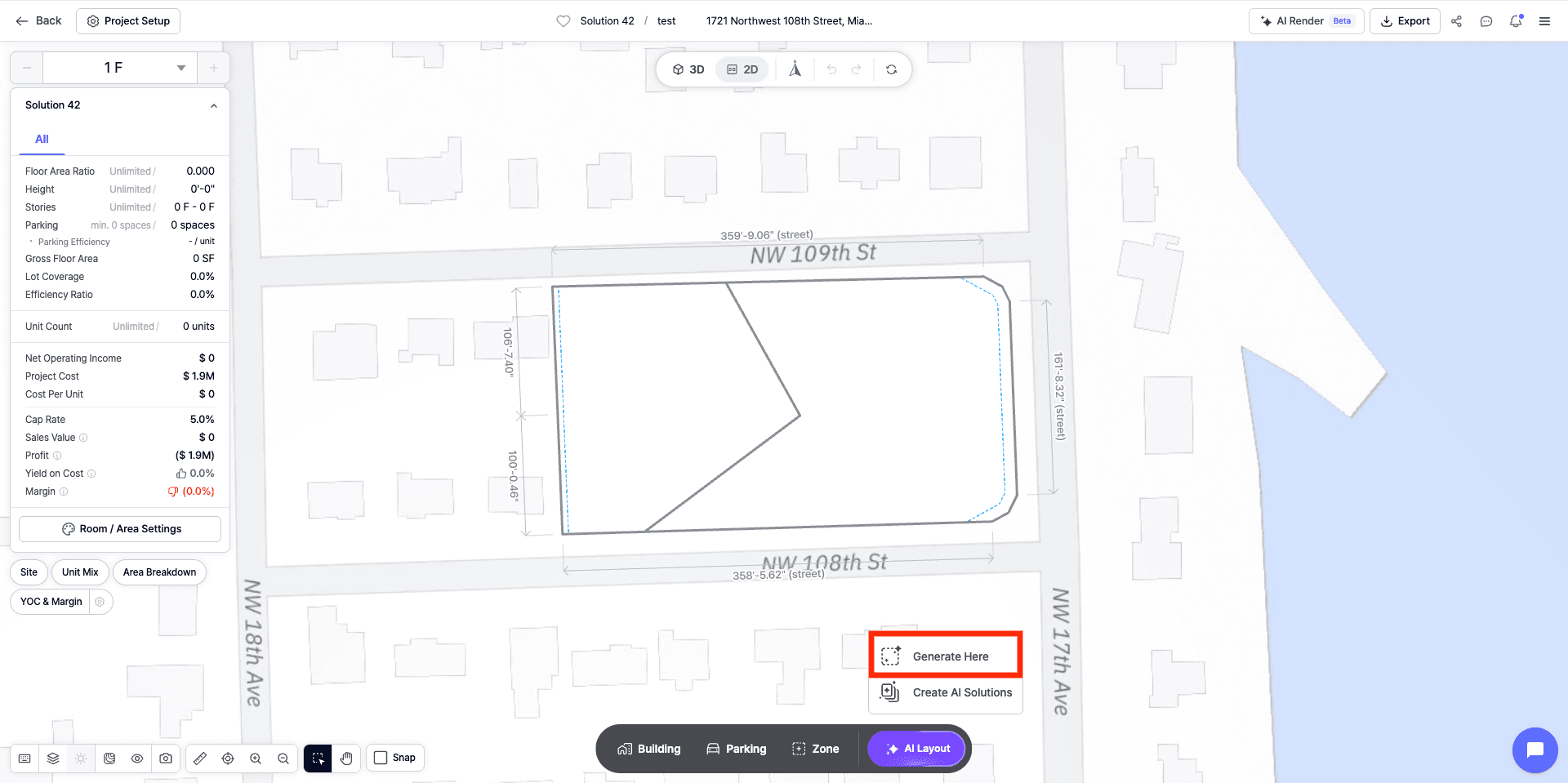
Generate Here allows users to quickly create AI-generated solutions directly within the workspace.
This option is useful when users want to explore design possibilities immediately on the site without moving into a more detailed solution comparison workflow. After clicking Generate Here, users can review generated options directly on the site and sort through what each solution looks like in context.
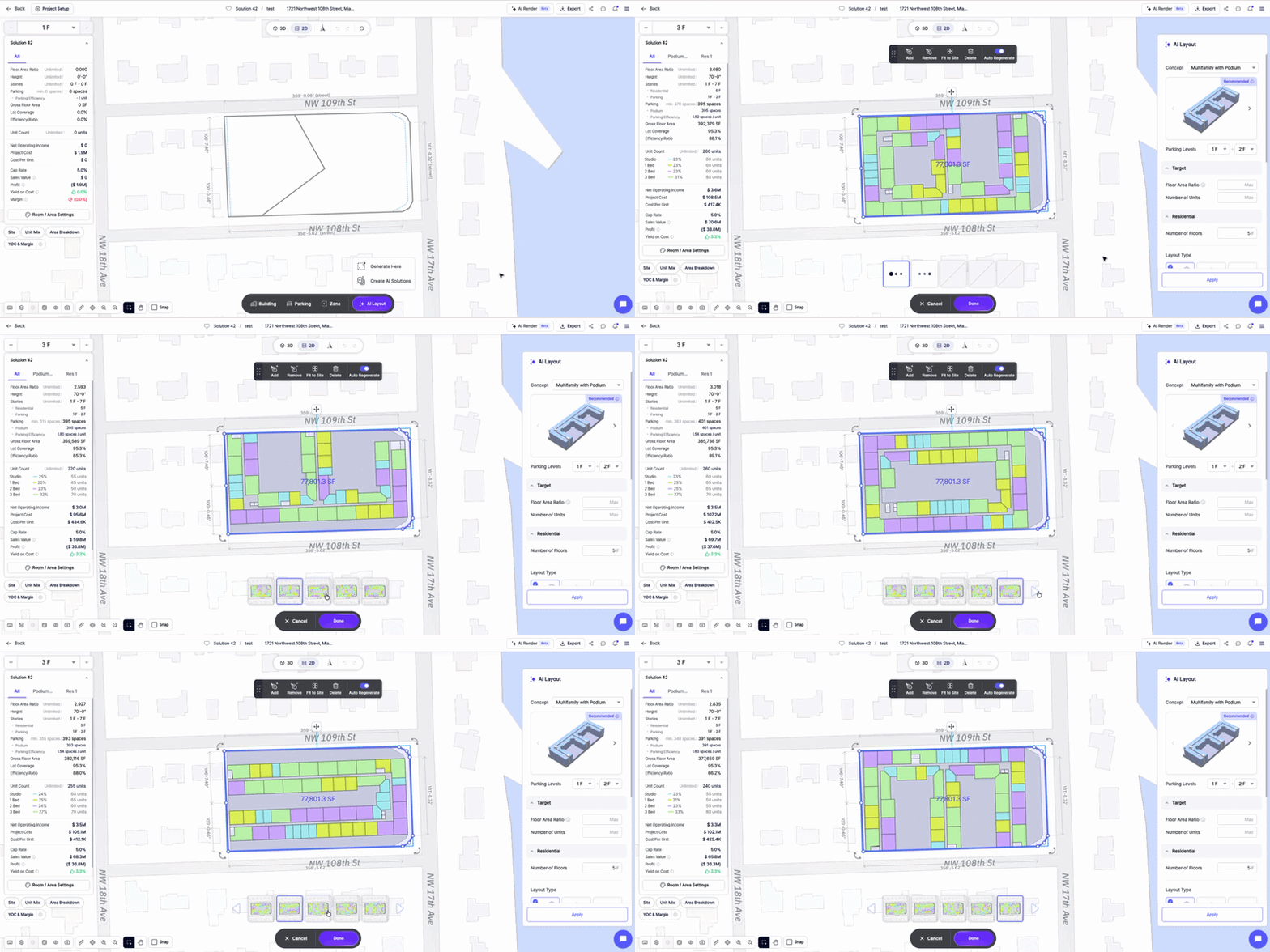
For example, users may use Generate Here when they want to quickly test things like:
• Building placement
• Massing direction
• Site layout
• Parking arrangement
• General density
• Early design ideas
• A quick test fit option
This makes Generate Here helpful for fast exploration. Users can quickly see how different layouts may work on the site and choose the one that best fits their current direction.
When to Use Generate Here
Generate Here is best when speed matters more than saving options.
Users may want to use Generate Here when they are exploring a site casually, testing a quick layout direction, or trying to understand what kind of building arrangement might work before creating a more detailed solution set.
This workflow is useful when:
• You want to generate options quickly inside the workspace
• You want to see layouts directly on the site
• You only need one preferred direction
• You do not need to save several alternatives
• You are still in the early exploration stage
• You want a fast starting point for manual editing
For early land development feasibility, this can be helpful when the goal is to quickly understand the site’s potential before spending time comparing detailed scenarios.
What Is Create AI Solutions?
Create AI Solutions is the better option when users want to save, compare, and continue working with multiple AI-generated solutions.
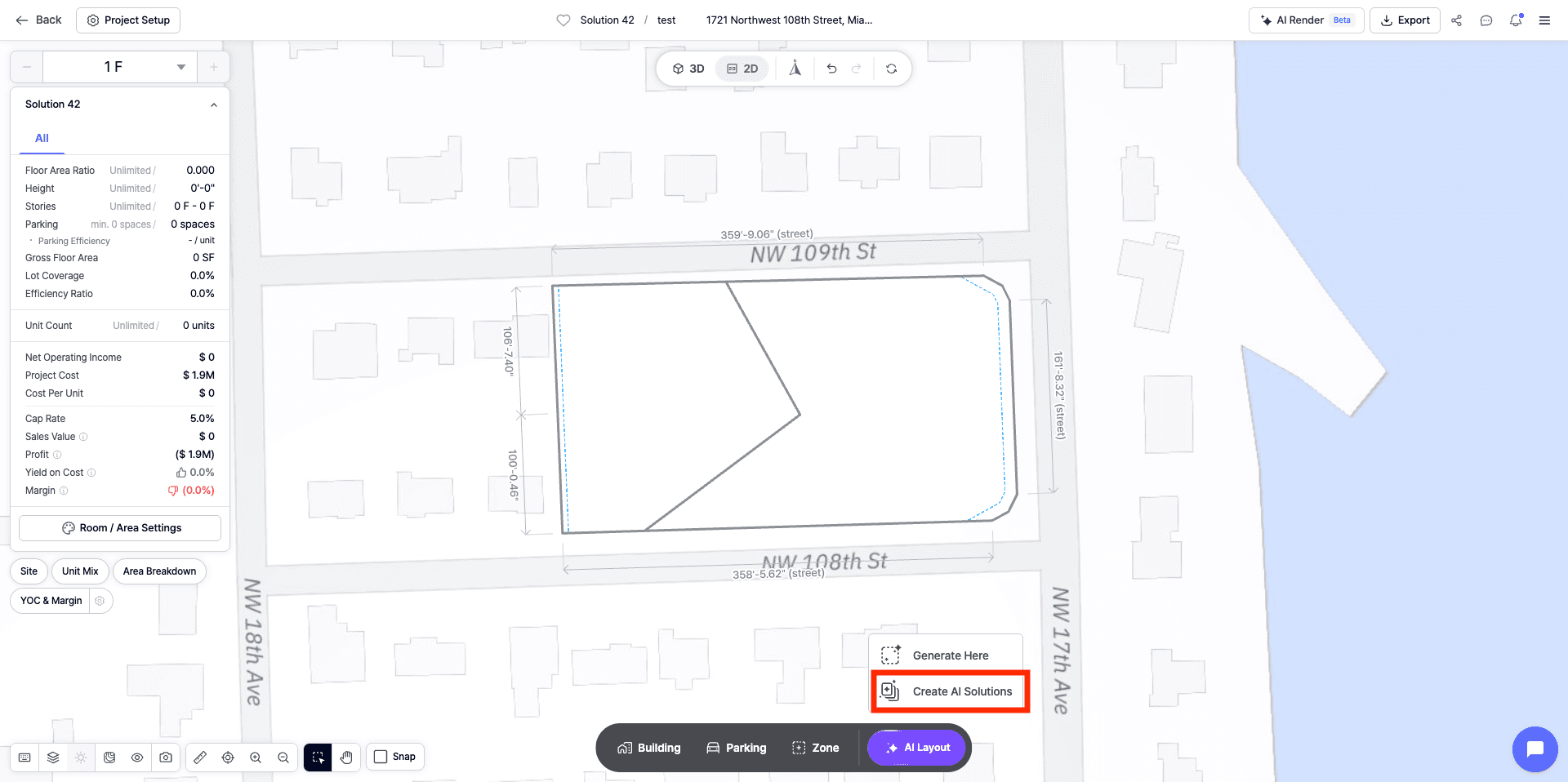
When users generate through Create AI Solutions, the results are saved to the Solution List. This gives users the ability to return to different options, compare them, review their data, and continue editing multiple solutions without losing earlier versions.
This is especially useful when evaluating multiple development scenarios during a real estate feasibility study.
Instead of choosing one layout immediately, users can keep several options available and compare how each one performs.
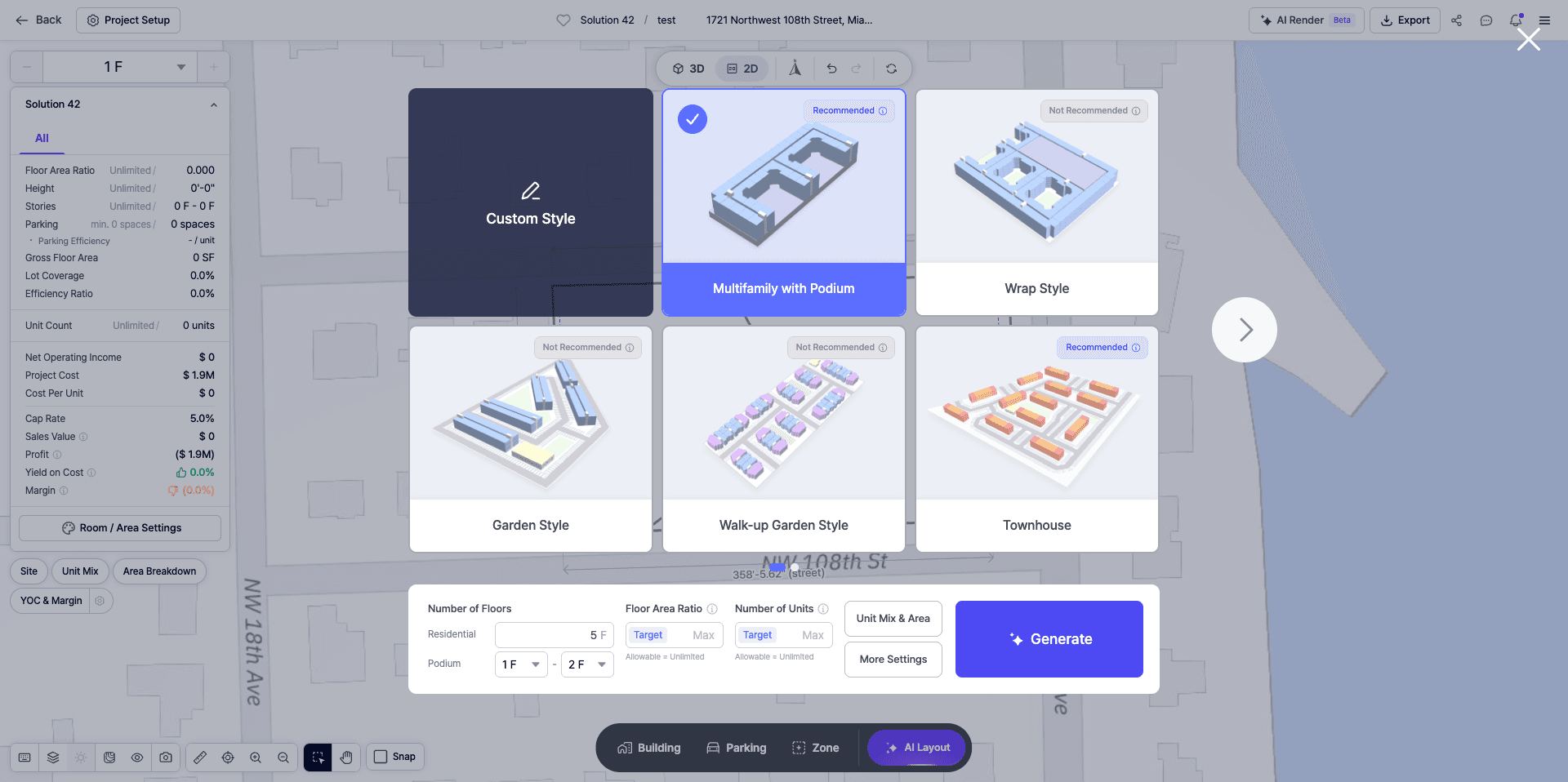
For example, users may want to compare:
• Unit count
• Parking count
• Building placement
• FAR
• Density
• Unit mix
• Gross floor area
• Overall site organization
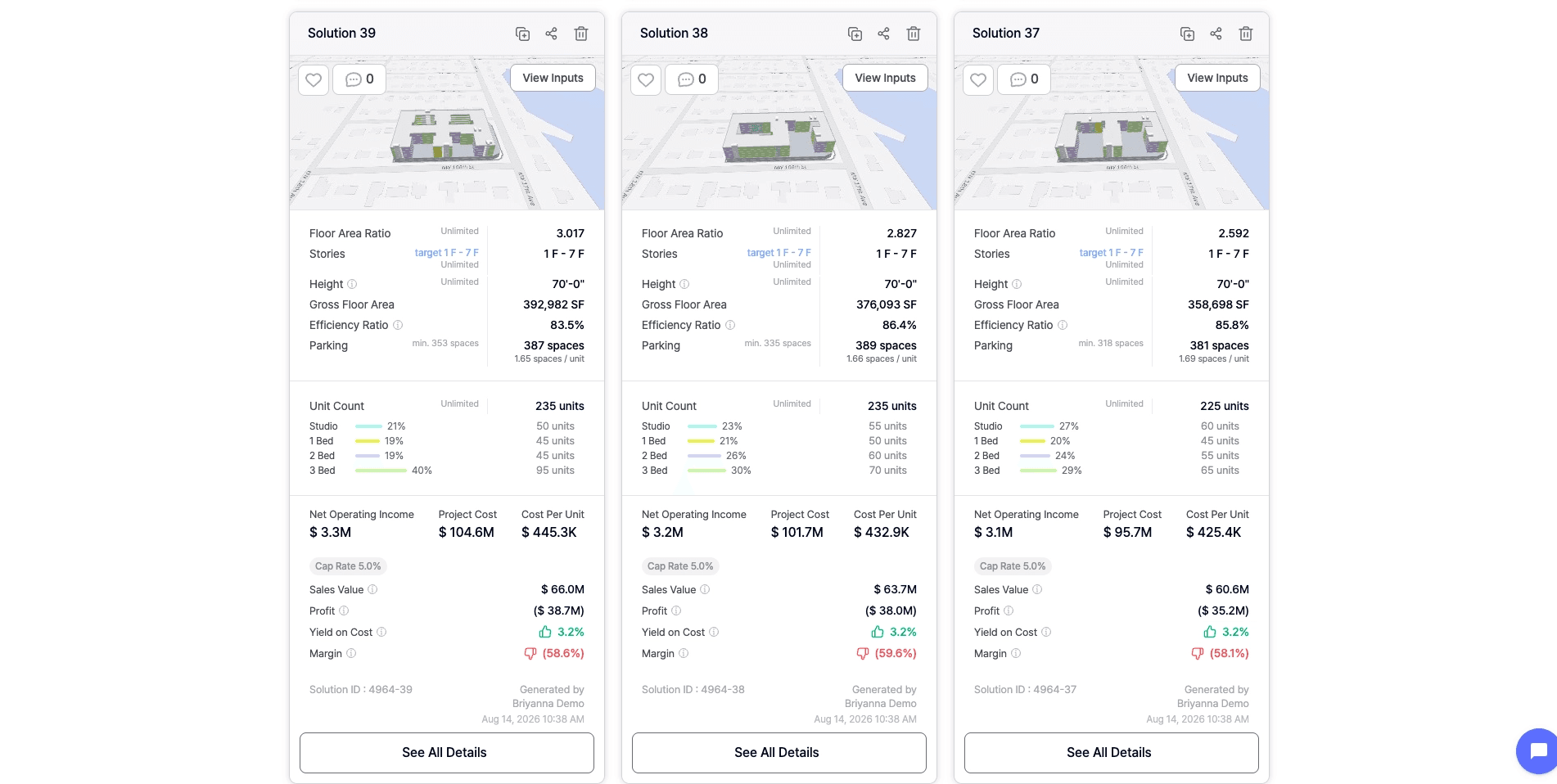
This makes Create AI Solutions more useful for teams that need to evaluate different scenarios before choosing a preferred direction.
When to Use Create AI Solutions
Create AI Solutions is best when users want to compare and preserve multiple options.
This workflow is useful when:
• You want generated solutions saved to the Solution List
• You want to compare multiple solutions side by side
• You want to review solution data
• You want to test different site planning strategies
• You want to edit multiple options separately
• You do not want to lose promising layouts
• You are preparing options for a client, team, or internal review
For developers, architects, and planners, this workflow supports a more complete test fit software for real estate development process. Instead of generating one option and moving forward immediately, users can compare different design directions and make a more informed decision.
Why Create AI Solutions Is Better for Comparison
The biggest advantage of Create AI Solutions is that the generated options are saved.
This gives users more flexibility during the feasibility process. If a user likes more than one solution, they can keep those options in the Solution List and return to them later. They can also edit different solutions separately without worrying about losing an option they may want to revisit.
This is important because early site feasibility analysis is rarely based on one answer. A team may need to compare multiple layouts before deciding which direction works best.
For example, one option may provide a higher unit count, while another may have better parking efficiency. One layout may create stronger building placement, while another may support better open space or circulation. By saving these solutions, users can compare the trade-offs more clearly.
This makes Create AI Solutions a stronger workflow for structured development feasibility analysis.
Generate Here vs. Create AI Solutions
Both options are useful, but they serve different purposes.
Generate Here is best for quick exploration inside the workspace. It allows users to generate options directly on the site, review them quickly, and choose a direction. However, the generated options are not saved to the Solution List, which limits deeper comparison.
Create AI Solutions is best for structured scenario planning. It saves generated options to the Solution List, making it easier to compare data, edit multiple solutions, and return to preferred options later.
A simple way to think about the difference is:
Use Generate Here when you want a quick starting point.
Use Create AI Solutions when you want to compare and manage multiple design options.
Both workflows can support early real estate feasibility software use cases, but the best choice depends on how detailed the review needs to be.
Example Workflow: Quick Exploration vs. Scenario Comparison
If a user is working on a site and wants to quickly see what kind of layout Zenerate can generate, Generate Here may be the faster choice. The user can generate a set of options, review them in the workspace, and select the one that looks strongest.
This is useful when the goal is speed.
However, if the user is preparing a more detailed real estate feasibility study, Create AI Solutions is usually the better workflow. The user can generate several solutions, save them to the Solution List, compare their data, and edit each option separately.
This is useful when the goal is comparison.
For example, a team may want to create three different options for a multifamily site:
• One option focused on maximum unit count
• One option focused on parking efficiency
• One option focused on open space and amenities
Using Create AI Solutions, the team can save all three, compare the data, and decide which option best supports the project goals.
Why This Matters for Feasibility
Early feasibility is not only about generating a layout. It is about understanding which layout works best.
A site may support more than one possible design direction. Different options may change unit count, parking, density, circulation, open space, building efficiency, and financial assumptions. If users only choose one generated option too quickly, they may miss a better scenario.
This is why saved solutions are important during a site feasibility analysis. When options are saved, users can compare them more carefully, make edits, and preserve different possibilities before choosing a preferred direction.
For teams using AI real estate feasibility software, the ability to move between quick generation and structured comparison creates a more flexible workflow.
Recap
Generate Here and Create AI Solutions both support AI-generated layout creation in Zenerate, but they are designed for different workflows.
Generate Here is best for fast, in-workspace exploration when users want to quickly create and choose a layout direction.
Create AI Solutions is best for saving, comparing, editing, and managing multiple design options through the Solution List.
For quick studies, Generate Here can help users move faster. For deeper development feasibility study work, Create AI Solutions gives users more control, flexibility, and comparison power.
By understanding when to use each option, developers, architects, and planners can make better use of Zenerate’s AI Layout workflow and create stronger test fit scenarios during early land development planning.
Explore What Zenerate Can Do
If you would like to discuss how Zenerate could support your feasibility or land development workflow, book a demo below to start the conversation.
Book a Demo + Start a Free Trial