Bringing your early design ideas into Zenerate is now easier than ever. With our background image upload feature, you can quickly integrate hand-drawn sketches, conceptual layouts, or exported images directly into your digital workspace. This streamlines your site planning, mass studies, or feasibility study process by giving you a visual reference as you work.
Here’s a step-by-step guide to help you upload, adjust, and manage background images in Zenerate.
Add Image
To upload a sketch, drawing, or reference image:
Open the Map Layer from the Tool Bar in the bottom-left corner of the map,Click on the Import button,Select your image file (make sure it’s under 5MB)
Your image will appear on the map, allowing you to draw your site boundaries according to it or replicate the building layout based on your uploaded image.

Adjust Image
Once your image is uploaded, a toolbar will appear on the right-hand side. Use these controls to fine-tune your image for accurate and effective design work:
1. Lock
Fix the image in place so it doesn’t move while editing your site layout.
2. Opacity
Adjust the transparency of your image to layer it effectively over your digital site.
3. Overlay Image Above Site
This toggle is on by default, displaying your image above the site model. Turn it off if you prefer to place the image behind your site elements.
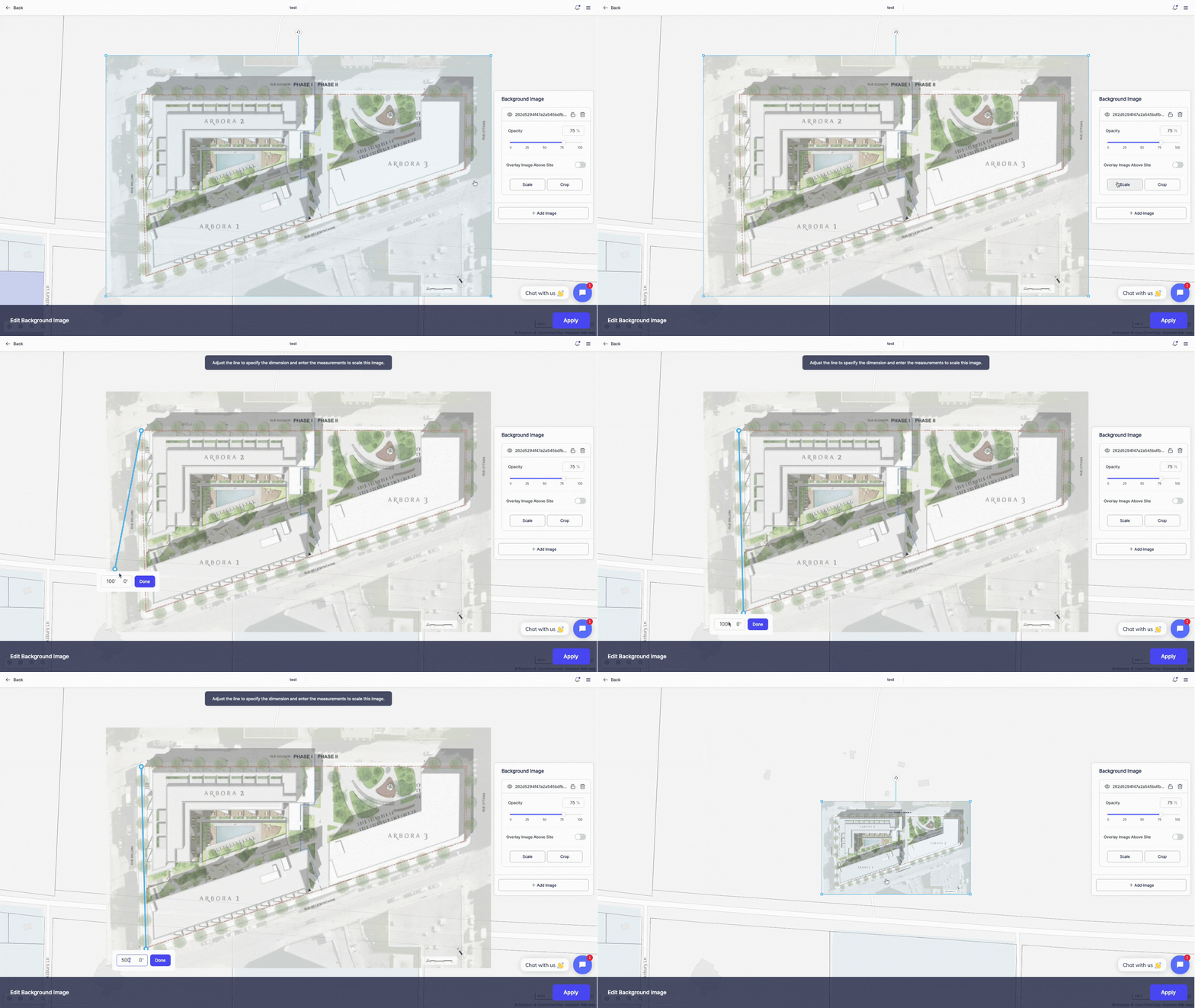
4. Scale
Ensure your image is accurately scaled to real-world dimensions:
Click Scale,Draw a reference line on the image,Enter the actual length for that line
Zenerate will automatically resize your image to match the scale.
5. Crop
Trim your sketch to focus only on relevant site areas.
6. Add More Images
Need more than one reference? Click Add Image to upload additional files
After you’ve made adjustments, click Apply to confirm your settings.
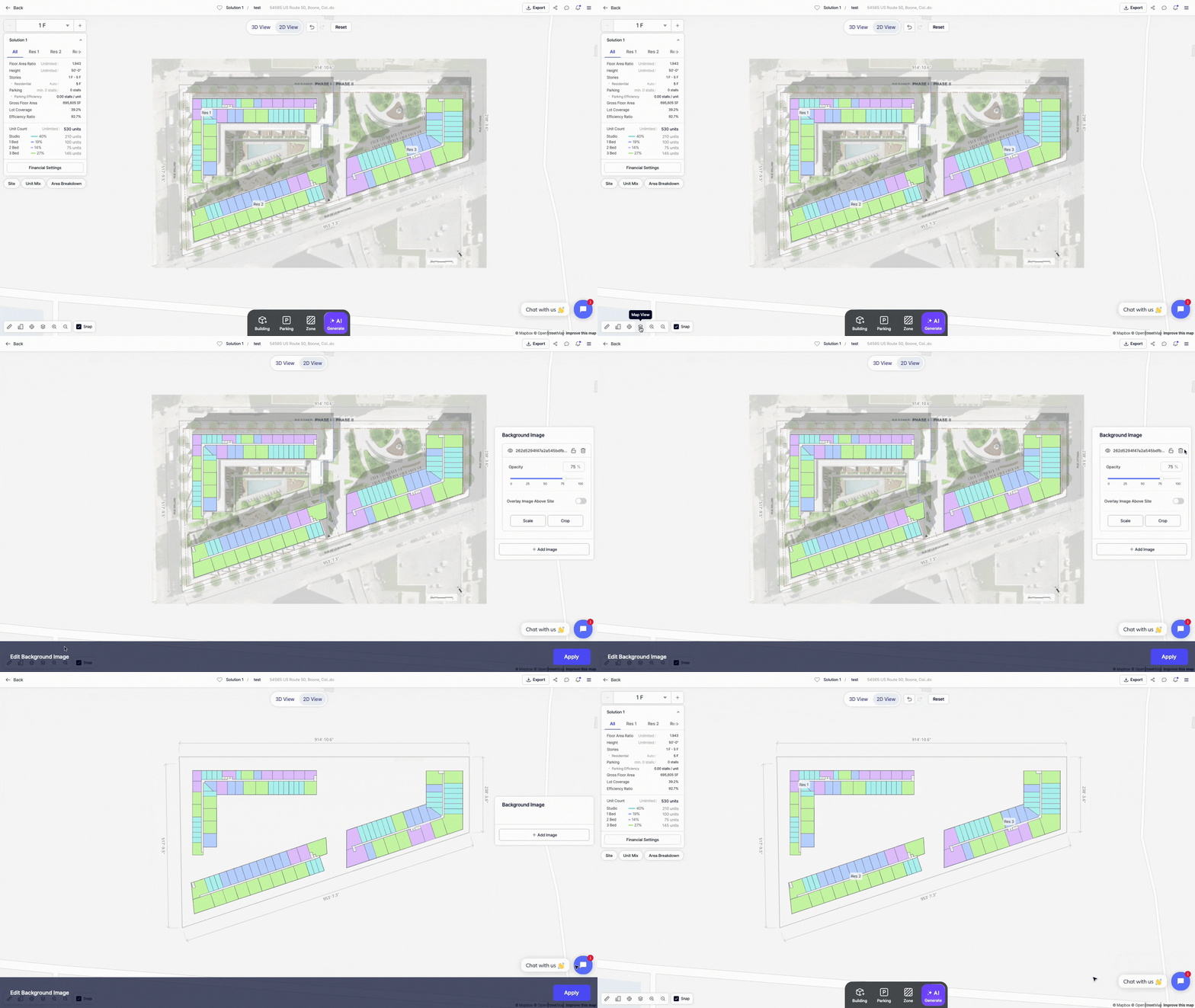
Delete Background Image
To remove a background image:
Open the Map Layer Tool Bar,Click Edit,Click the Trash Can Icon on the image toolbar
This allows you to easily replace or update your references at any time.
Other Resources
Zenerate makes it easy for you to get precise with your designs. Book a demo with us and get a free trial for a hands-on experience today!
Book Demo + Get a Free Trial